Four rules. The app keeps you doing them.
Most plans don’t fall apart on day one. They fall apart on Tuesday, when a meeting moves and re-planning the week by hand stops being worth it. These four rules get you past Tuesday.
You could follow them with a notebook. YWGSD’s just better at the tedious half.
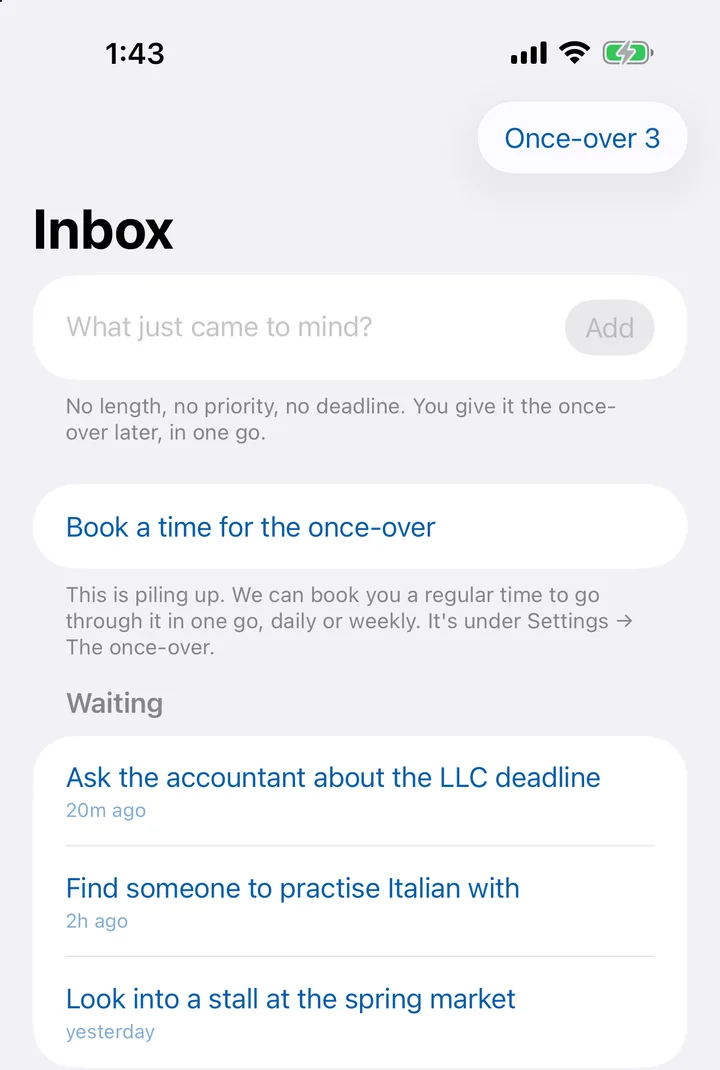
Jot it down in three seconds
Don’t decide anything yet. Remembering and deciding are two different jobs. Get asked for a length, a priority and a deadline every time something pops into your head, and you stop writing things down. Then they’re gone.
So just type the thought. No length, no priority, no deadline. It’s out of your head, and it’s safe.
In the app: Type it into the Inbox and hit Add. On the iPhone, add the Jot it down shortcut to your Home Screen and it never needs the app open.
Tap through them later, in one go
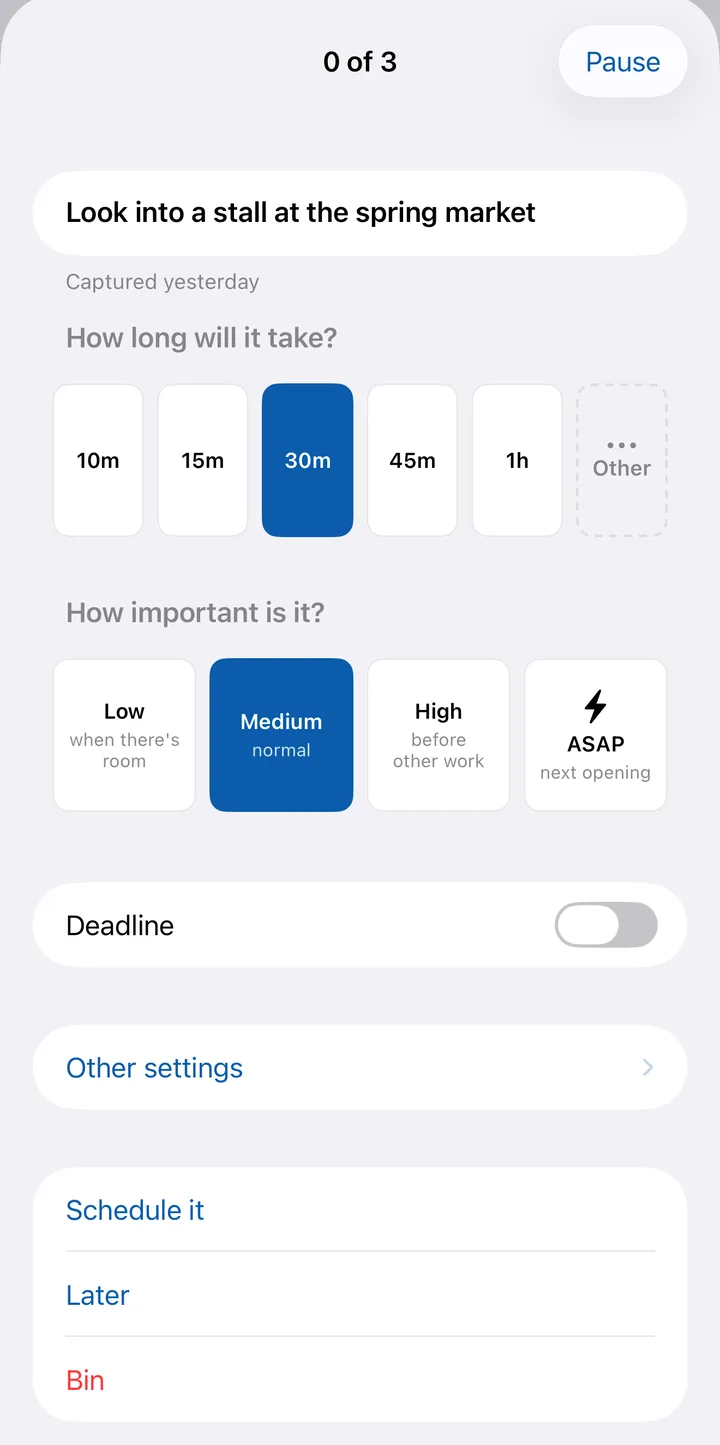
When you’ve got a minute, give the whole Inbox the once-over in one sitting. Once a day or once a week works best, and we’ll book the time for you.
Each thought gets a length and a priority. Twenty minutes or three hours, decide it once. That’s the moment a wish turns into an appointment.
In the app: Hit Once-over in the Inbox and go one card at a time: how long, how important, then Schedule it. Settings → The once-over books the time, daily or weekly.
Nothing disappears
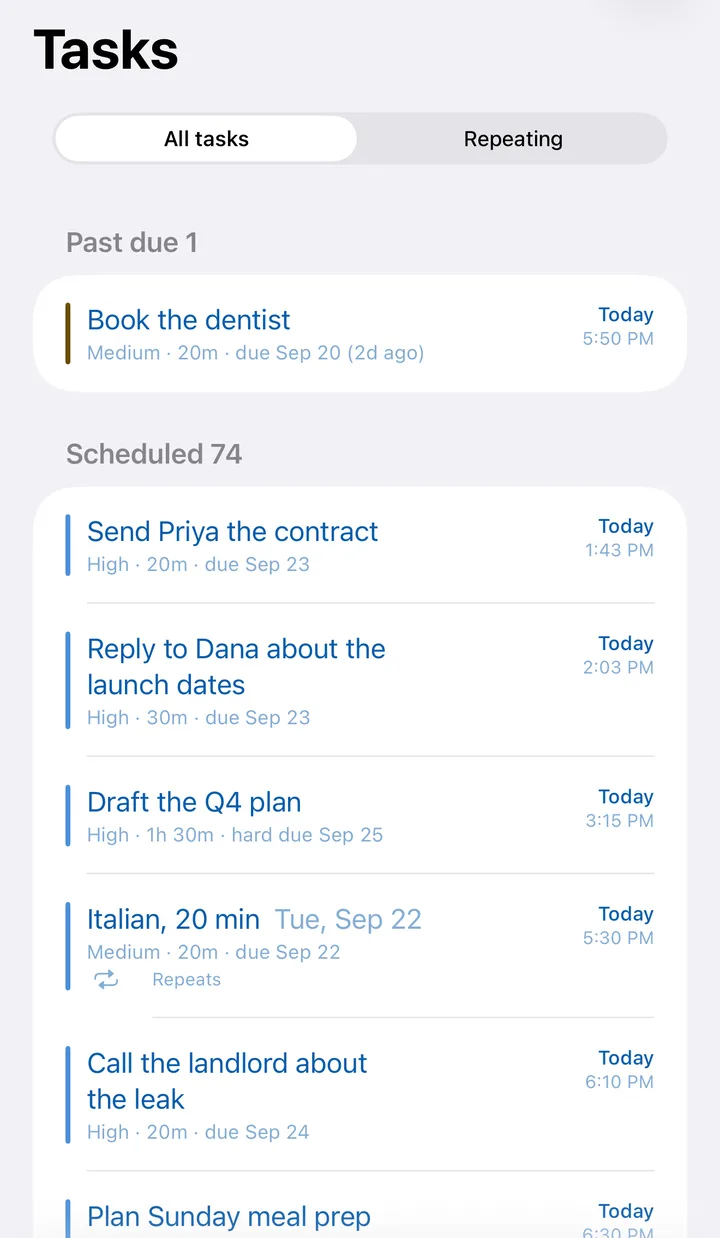
Finished or cancelled are the only ways out. Anything you didn’t get to moves to your next opening, so it’s right in front of you the next time you look. If it missed a deadline, it turns amber. Finish it, rethink it, or cancel it. It never slips into the past and gets forgotten.
So you can stop keeping a private list next to the calendar, just in case.
In the app: Tap Done, or Cancel task. Everything else stays on your calendar until you do one of the two.
Don’t re-plan. Let it rebuild.
Every plan dies the first time the day doesn’t go to plan, because fixing it by hand is tedious. So don’t.
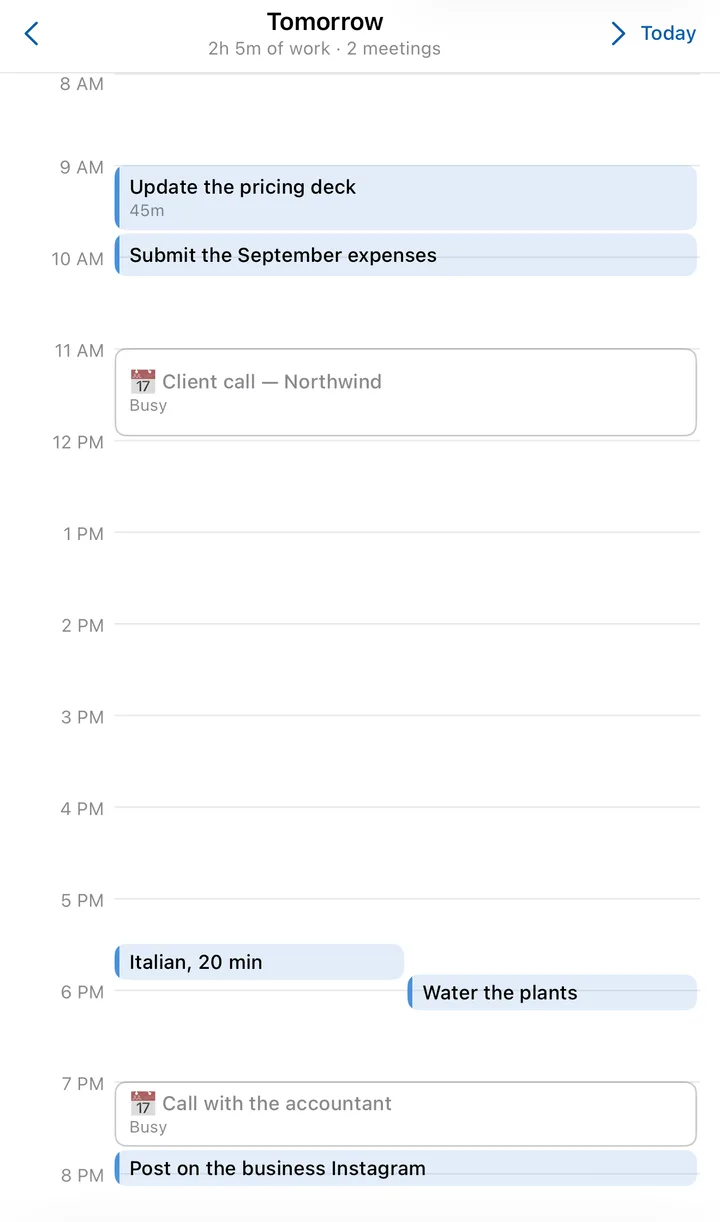
A meeting lands or gets cancelled. Something urgent comes up. You finish early. Whatever happens, the work moves itself to fit. When the whole week’s gone sideways, start it over in one go.
In the app: Reschedule all: at the top of the calendar on the web, and in the ⋯ menu on iPhone.
A bad Tuesday, start to finish
Nothing here is a setting you turn on. It’s one ordinary day going wrong, and what you do about it.
- 8:40
A client call lands at 11.
You accept it in Google, and the morning you had planned is gone. Open YWGSD and it has already moved that work to the afternoon. You didn’t ask it to.
- 9:15
Something pops into your head mid-meeting.
Ask the accountant about the LLC deadline. Three seconds into the Inbox, no length, no priority, no deadline. It’s out of your head, and it’s not on your calendar yet either.
- 12:30
You’re halfway through the Q4 plan and out of time.
Enough for today, say what’s left, and the rest books itself into your next opening. You don’t have to chop long work into pieces in advance.
- 14:00
The dentist you didn’t call yesterday is still there.
It’s amber now, because its deadline has gone. It keeps moving forward until you do it or cancel it. Nothing quietly falls off the back of the list.
- 17:30
The day job stops and the side business starts.
Work only lands in work hours, the business only in the evenings you gave it. One plan, one day, different jobs kept where they belong.
- 21:00
There’s nothing to re-plan.
Tomorrow was rebuilt every time today changed. No Sunday-night session, no dragging blocks around. If you do want a clean slate, Reschedule all does it in one click.
What it leaves to you
You say how long things take.
YWGSD never guesses. Two taps in the once-over — how long, how important — and it does the rest. Get it wrong and you can change it; the day rebuilds around the new number.
You can overrule it.
Drag a block where you want it and it stays there. Pin the school run, pin the gym. Everything else plans itself around what you’ve pinned.
It never writes to your calendar.
It reads your meetings and plans around them. Not one event is created, moved or deleted, so nothing of ours ever shows up on your work calendar.
It’s one person’s plan.
No shared boards, no assigning, no team view. If you need to plan other people’s work, this isn’t the tool.
Why these four
Each one removes a reason a plan gets abandoned. Nothing’s lost before it’s written down. Everything written down can actually happen somewhere. You can trust the calendar, so you stop keeping a second list next to it. And a bad day costs you one click, not your Sunday evening.
How it compares to Motion, Reclaim, Sunsama and the rest
Let your week plan itself.
14 days free. We email you before we charge, and you can cancel in one click.